Project Name: MoviePulse
Description: MoviePulse is a movie search web application that allows users to explore movies, search for their favorite films, and save them to a personal list. The app integrates various third-party APIs to provide a seamless and context-aware search experience for movie enthusiasts.
The MoviePulse frontend is built using ReactJS and styled with Tailwind CSS for efficient and flexible UI design.
- ReactJS: The main framework used for building the user interface. React allows for a modular, component-based architecture, making the app easy to maintain and scale.
- Tailwind CSS: A utility-first CSS framework that enables rapid styling of the app's components without writing custom CSS.
The key components that make up the user interface include:
-
User Login/Register Forms:
- A set of forms for user authentication (Login and Registration). These are only required for users who wish to save movies to their favorite list.
- Uses form validation for username and password input.
-
Movie Catalogue:
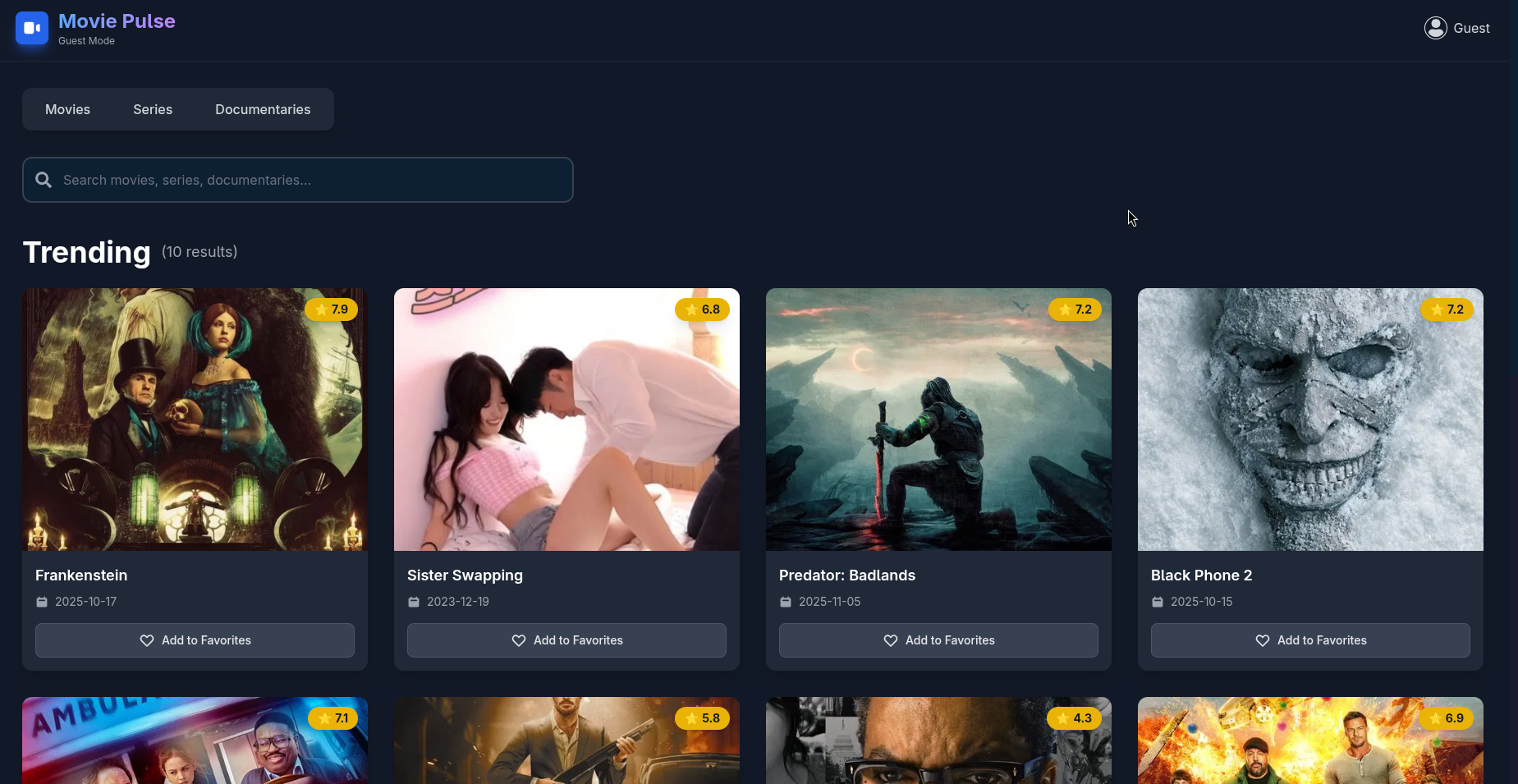
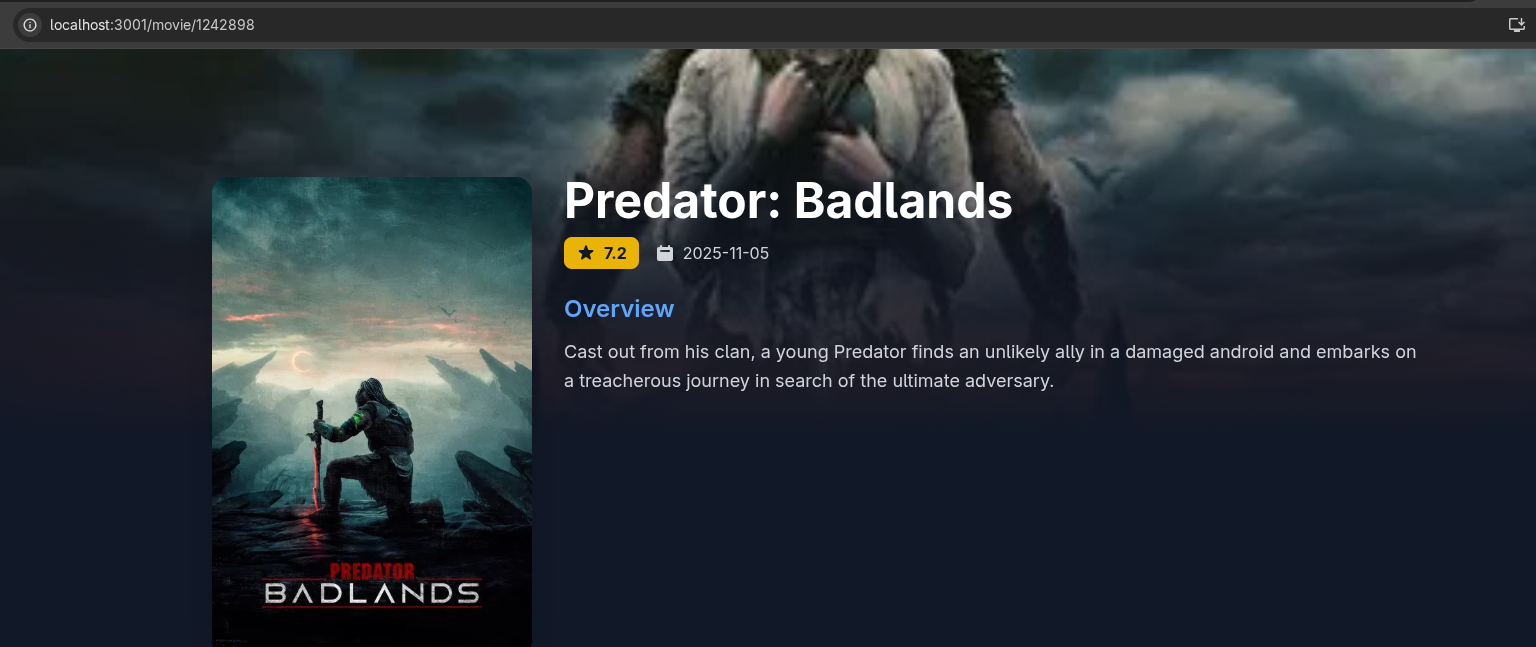
- Displays a list of movies fetched from the TMDB API. Each movie displays its title, image, and an option to add to favorites.
- Movies are displayed in a responsive grid layout, optimized for both desktop and mobile views.
-
Search Bar:
- Users can search for movies by entering keywords in the search bar. The search bar triggers API requests to fetch movies matching the query from the TMDB API.
- Works with both standard search queries and context-aware search queries (handled via the Gemini API).
-
Navigation:
- The app provides easy-to-navigate routes for different pages, including the home page, login, and movie search results.
Note: Users can search for movies without logging in. However, to save a favorite movie, the user must first log in or create an account.
MoviePulse integrates two main APIs to deliver movie-related data and enhance search capabilities:
-
TMDB provides access to a large catalog of movie information such as titles, descriptions, trailers, posters, and more.
-
Account Creation: Users must create an account on TMDB to acquire an API key, which is required for API requests.
-
Error Handling: Some movie responses from TMDB may not have trailers or images. MoviePulse gracefully handles such cases by displaying a placeholder image or a message like "Trailer/Poster Not Available."
Example of a TMDB API Request:
const API_KEY = 'your-tmdb-api-key';
axios.get(`https://api.themoviedb.org/3/search/movie?api_key=${API_KEY}&query=Inception`);
-
This API is used for more context-aware searches. For example, if a user types "Show me horror movies," the Gemini API translates the phrase into a more contextual search query like "horror."
-
Account Creation: Users must create an account on Gemini to get an API key for requests.
Example of a Gemini API Request:
const GEMINI_API_KEY = 'your-gemini-api-key';
axios.get(`https://api.gemini.com/search?query=Show me horror movies&api_key=${GEMINI_API_KEY}`);
The Gemini API enhances search precision by interpreting natural language queries and refining them to return more relevant movie results via the TMDB API.
- Node.js (LTS version recommended)
- npm (comes with Node.js)
- Full installation Instructions Here
- Full installation instructions Here
-
Home Page:
- Users can search for movies directly on the homepage.
-
Login/Register:
- If a user tries to add a movie to their favorites, they are redirected to the login or registration page.
-
Movie Search:
- Users can type movie titles or phrases like "Show me action movies," which triggers a search using the TMDB and Gemini APIs.
-
Favorite Movies:
- Once logged in, users can save and view their favorite movies.