OwO! OwOFrame is developed based on the MVC (Model-Views-Controller) model. The standard of the framework is drawn from the current popular PHP-MVC framework to a certain extent. This project is only my personal practice project.
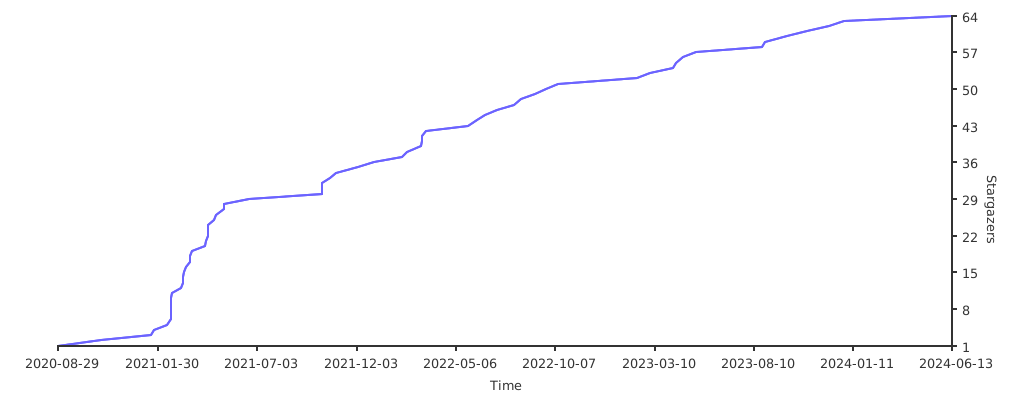
If you think this repository is helpful to you, please give this repository a Star QWQ
Donation: https://owoblog.com/donation/
OwOFrame is a small framework that I developed using my free time. Of course, there are many shortcomings. The functions currently supported by this framework are listed below:
-
!!!IDE Friendly!!!All comments display nicely inVisual Studio Code -
ApplicationThis framework is a multi-application coexistence framework, and the current application is identified byHTTP_URI -
ConsoleSupport some operations in the terminal throughCommandLine -
ConfigConfiguration file parsing class -
EventManagerEvent Manager (hook method) -
ExceptionError and exception capture and Stack output -
ModuleLoaderModule loader (Application independent and flexible management, in global mode) -
LanguageCustom language pack support(rewriting) -
LoggerSupport the most basic logging -
RedisSupport basic Redis operations(rewriting) -
RouteRoute analysis/management (personalized route binding settings) -
TemplateBack-end rendering template (basic functions have been completed, and advanced functions have been developed quickly o( ̄▽ ̄)o) -
TextColorOutputSupport ANSI control code output color in CMD & Shell -
WMIWMI operation class written for Windows system -
CookieA common cookie processing class -
SessionA common Session processing class -
EmptyAppGeneratorOne-click generation of new application templates -
FileUploaderFile upload class support -
systemFunctionsA file function that integrates the bottom layer of the system (see the source code for details) -
httpFunctionsA file function that integrates the bottom layer of HTTP (see the source code for details)
- First way can use command
git clone https://github.com/Tommy131/OwOFrame.gitto clone the repository from Github to location. - Or you can use the second way with command
composer create-project tommy131/owoframe -s devto create the repository to location.
After open CMD in Windows or Shell in Linux, use command cd owoframe && composer install to change work path on owoframe.
If you used composer to install this repository, you may not to run the command from the top.
Yes. The step(s) please see the below:
# Set your web root path to /public (Example);
root /www/owoframe/public;

location / {
    index index.php index.html;
    try_files $uri $uri/ /index.php$is_args$query_string;
}In the OwOFrame, I built the Command Manager. You can customize the registration management of the implementation Commands, and you can also modify the entry file in the CLI-Mode to touch your project requirements. The basically usage will be called in the root path like owo [command].
Note: The premise of using the
owocommand directly is that the root directory path of the current project folder has been set in the system's global environment ($PATH) variables.

© 2016-2023 OwOBlog-DGMT. Please comply with the open source license of this project for modification, derivative or commercial use of this project.
My Contacts: