by Elmar Wenners / chaozz.nl / github.com/chaozznl
A PowerShell tool that compresses a folder, splits it into floppy sized chunks, and generates FAT12 IMG files suitable for vintage PCs with Gotek floppy emulators.
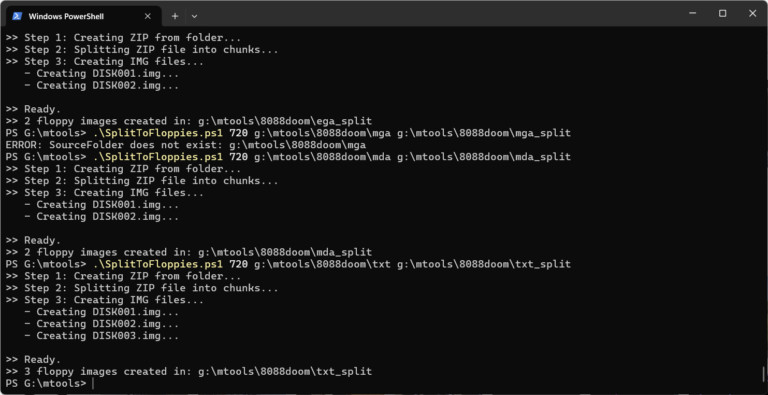
- Creates a ZIP archive from any folder
- Splits the ZIP into floppy‑sized binary chunks
- Generates FAT12 floppy images for each chunk
- Automatically copies each chunk into its own IMG file
- Supports all standard PC floppy formats (160 KB to 2.88 MB)
- Compatible with Gotek, FlashFloppy
- Windows with PowerShell
mformat.exeandmcopy.exefrom mtools (included in this repository)- A valid
mtools.conf(included) pkunzipor other unzip tool on the target system
| Size (KB) | Tracks | Heads | Sectors |
|---|---|---|---|
| 160 | 40 | 1 | 8 |
| 180 | 40 | 1 | 9 |
| 320 | 40 | 2 | 8 |
| 360 | 40 | 2 | 9 |
| 720 | 80 | 2 | 9 |
| 1200 | 80 | 2 | 15 |
| 1440 | 80 | 2 | 18 |
| 2880 | 80 | 2 | 36 |
SplitToFloppies.ps1 <floppySizeKB> <sourceFolder> <outputFolder>
.\SplitToFloppies.ps1 720 g:\doom8088\cga g:\doom8088\cga_split
PS G:\mtools> .\SplitToFloppies.ps1 720 'G:\images\MS-DOS Software\GAMES\doom8088\VGA\' 'G:\images\MS-DOS Software\GAMES\doom8088\VGA_split\'
>> Step 1: Creating ZIP from folder...
>> Step 2: Splitting ZIP file into chunks...
>> Step 3: Creating UNSPLIT.BAT...
>> Step 4: Creating IMG files...
   - Creating DISK001.img...
   - Creating DISK002.img...
   - Creating DISK003.img...
   - Creating DISK004.img...

>> Ready.
>> 4 floppy images created in: G:\images\MS-DOS Software\GAMES\doom8088\VGA_split\
>> UNSPLIT.BAT added to last floppy image.
PS G:\mtools>
- Mount the first IMG on a Gotek.
- On the target PC, copy the contents into a working folder:
copy a:\*.* .
- Mount the next IMG and repeat.
- After all chunks are copied, unsplit the result by typing:
unsplit.bat
This will recreate the OUTPUT.ZIP file on the target system.
- Extract using PKUNZIP:
pkunzip bigzip.zip