AI-Powered Material Transformation Pipeline for Designers
Transform any design into every possible material using Gemini 2.5 Flash Image Preview (Nano Banana). Upload a sketch, photo, or design and watch it come to life in wood, metal, glass, fabric, and dozens of other materials.
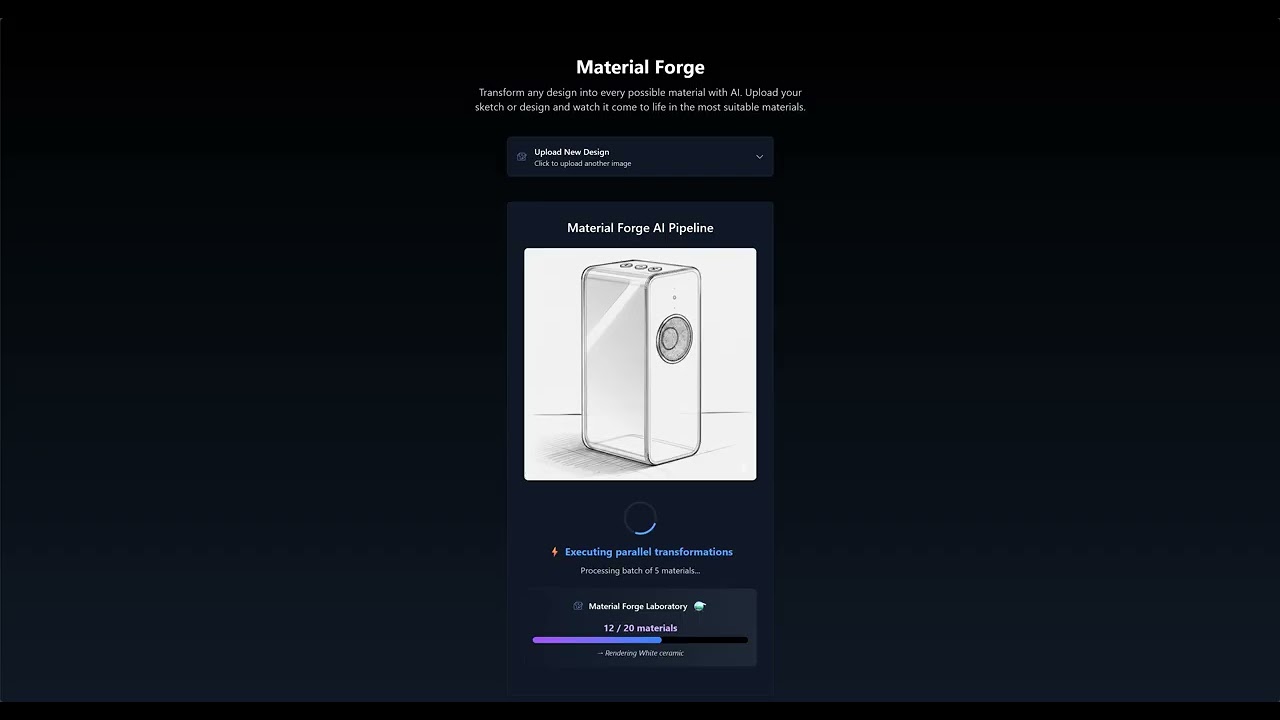
Click the image above to watch the Material Forge demo video
Material Forge is an innovative AI tool that solves a core design workflow problem: material exploration. Designers typically spend hours or days manually exploring how their creations would look in different materials. Material Forge compresses this process from days to minutes using advanced AI.
- Upload any design image (sketch, photo, 3D render)
- AI Analysis detects current material and suggests 20+ alternatives
- Parallel Transformation generates your design in every material simultaneously
- Quality Validation ensures each transformation maintains design consistency
- Interactive Gallery lets you explore, compare, and download all variations
- 20+ Material Transformations: Wood, metal, glass, stone, fabric, synthetics, and more
- Smart Material Detection: Avoids redundant transformations by detecting current material
- Quality Validation: AI validates each transformation for accuracy
- Image Suitability Check: Validates uploaded images are suitable for material transformation
- Download All: Export individual images or complete material sets
- Node.js 18.0 or higher (for local development)
- Gemini API key (get one at ai.google.dev)
-
Clone the repository
git clone https://github.com/felipemeres/materialforge.git cd materialforge -
Install dependencies
npm install
-
Configure API Key
Create a
.env.localfile in the project root and add your Gemini API key:NEXT_PUBLIC_GEMINI_API_KEY=your_actual_api_key_here
Important: Never commit your actual API key to version control. The
.env.localfile is already excluded in.gitignore. -
Start the development server
npm start # or npm run dev -
Open in browser
http://localhost:3000
- Upload Design: Drag and drop or click to upload your design image
- Wait for Processing: AI analyzes and transforms your design (1-3 minutes)
- Explore Results: Browse the gallery of material transformations
- View Full Size: Click any image for full-screen viewing with navigation
- Download: Save individual images or the complete set
✅ Great for Material Transformation:
- Product designs and sketches
- Furniture and architectural elements
- Tools, accessories, and objects
- 3D renders and technical drawings
- Simple, clear designs with recognizable shapes
❌ Not Suitable:
- Photos of people or animals
- Complex scenes with multiple objects
- Landscapes or natural environments
- Abstract art or patterns
- Food items or organic matter
flowchart LR
    A["User Upload<br/>📷 Image"] --> B["Material Detection<br/>🔍 Gemini Flash"]
    B --> C["Material Discovery<br/>🧠 AI Analysis"]
    C --> D["Parallel Transformation<br/>⚡ Nano Banana"]
    E["Quality Validation<br/>✅ Gemini Flash"] --> F["Interactive Gallery<br/>🖼️ Results"]

    D --> D1["Transform to<br/>each material"]
    D1 --> E
- Material Discovery: Gemini 2.5 Flash analyzes designs and suggests compatible materials
- Image Transformation: Gemini 2.5 Flash Image Preview (Nano Banana) performs material transformations
- Quality Validation: Gemini .5 Flash validates transformation accuracy
- Parallel Processing: Batch processing with configurable batch size (default: 5)
- Retry Logic: Up to 3 attempts per material for failed transformations
The application is designed to work within Gemini's daily API limits:
- Batch Size: 5 materials processed in parallel
- Material Count: 20+ materials per transformation
- Retry Logic: 3 attempts per failed material
You can modify these settings in server.js:
// Batch processing configuration
const BATCH_SIZE = 5; // Line 329

// Material discovery prompt (lines 384-426)
// Add or modify material categories and descriptions

// Transformation prompt (lines 486-501)
// Adjust transformation instructions and quality requirementsMaterial Forge was created for the Kaggle Nano Banana Hackathon. Contributions are welcome!
- Fork the repository
- Create a feature branch (
git checkout -b feature/amazing-feature) - Commit your changes (
git commit -m 'Add amazing feature') - Push to the branch (
git push origin feature/amazing-feature) - Open a Pull Request
This project is licensed under the MIT License - see the LICENSE file for details.