



中文说明 • Download • How To Use • Configuration
Sorry, no more updates as I no longer use a Mac computer and the installation of macOS virtual machine failed.
You can press Enter to open the file in result, or press ⌘CMD-Enter to reveal it in Finder.
For example:
- Recent folders will be listed when Finder is foremost.
- Recent rtf, text files will be listed when TextEdit app is foremost.
- Recent *.sketch files will be listed when Sketch app is foremost.
- Recent *.xcodeproj project files will be listed when Xcode app is foremost.
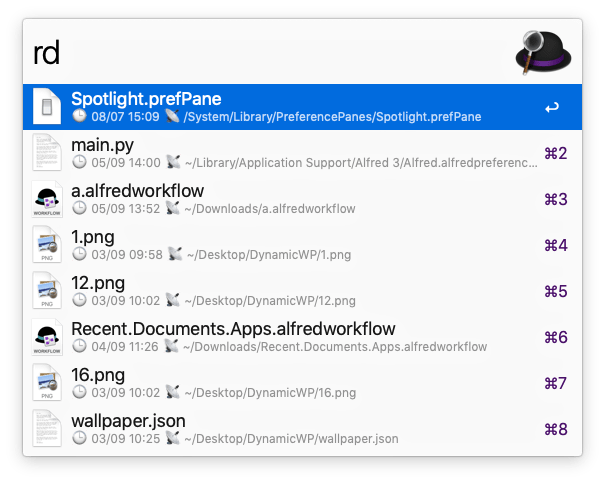
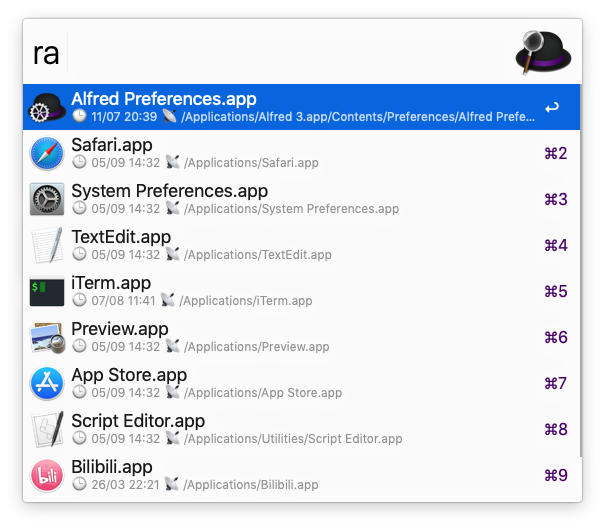
The subtitle of each result consists of ⏱modified time and 📡path of the file.

Opening recent folders is very common in use. Tapping rf is a more efficient way, even though you can activate Finder and then tap rr.

These files were recently opened by user, not like rr which is just for the foremost app.
Exclude files and folders from the results.
You can add private folder paths separated by colon : to the workflow environment variable ExcludedFolders. The results will not show private folders and any files inside them. The environment variable ExcludedFiles is used to block files and folders themselves.
For example: ~/privateFolder1/:/Users/G/privateFolder2/
- Adjust keywords
rr、rf、rd、raas you like. - Open
System Preferences - General, change the number ofRecent itemsto 15 or more.
Feel free to donate by Wechat if this workflow is helpful.

- macMRU-Parser: https://github.com/mac4n6/macMRU-Parser
- ccl_bplist.py: https://github.com/cclgroupltd/ccl-bplist
- mac_alias: https://pypi.python.org/pypi/mac_alias