
Official Angular wrapper for dragula.





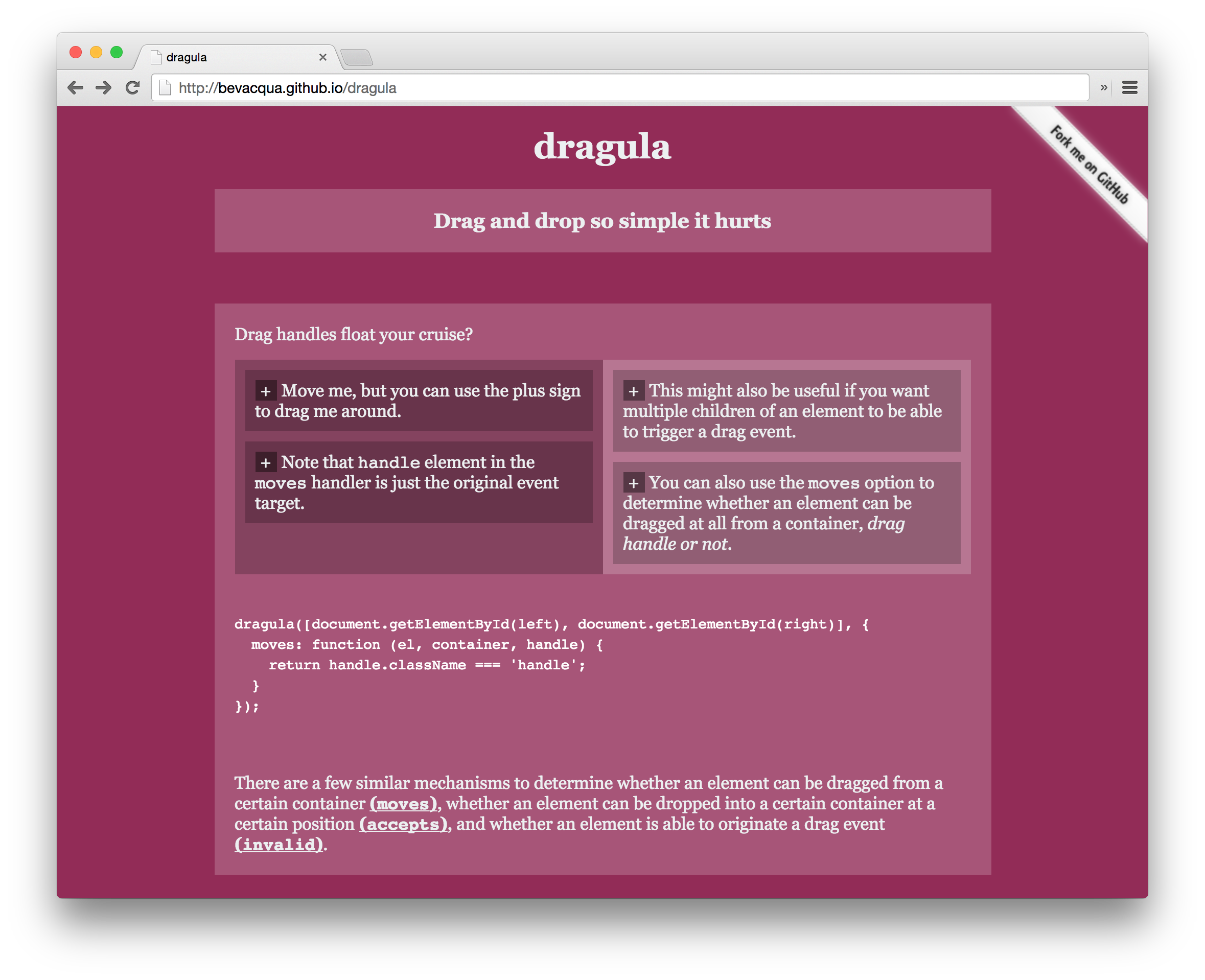
Drag and drop so simple it hurts
Try out the demo!
Latest version available for each version of Angular
| ng2-dragula | Angular |
|---|---|
| 2.1.1 | <= 9.x |
| current | 16.x.x |
You can get it on npm.
npm install ng2-dragula
# or
yarn add ng2-dragula(window as any).global = window;This is a temporary workaround for
#849, while upstream
dragula still relies on global.
import { DragulaModule } from 'ng2-dragula';
@NgModule({
  imports: [
    ...,
    DragulaModule.forRoot()
  ],
})
export class AppModule { }
On any child modules (like lazy loaded route modules), just use DragulaModule.
You'll also need to add Dragula's CSS stylesheet dragula.css to your
application (e.g. in styles.scss). The following is slightly better than
node_modules/dragula/dist/dragula.css (it includes pointer-events: none
(#508) and
this fix),
but you may wish to make your own modifications.
/* in-flight clone */
.gu-mirror {
  position: fixed !important;
  margin: 0 !important;
  z-index: 9999 !important;
  opacity: 0.8;
  -ms-filter: "progid:DXImageTransform.Microsoft.Alpha(Opacity=80)";
  filter: alpha(opacity=80);
  pointer-events: none;
}
/* high-performance display:none; helper */
.gu-hide {
  left: -9999px !important;
}
/* added to mirrorContainer (default = body) while dragging */
.gu-unselectable {
  -webkit-user-select: none !important;
  -moz-user-select: none !important;
  -ms-user-select: none !important;
  user-select: none !important;
}
/* added to the source element while its mirror is dragged */
.gu-transit {
  opacity: 0.2;
  -ms-filter: "progid:DXImageTransform.Microsoft.Alpha(Opacity=20)";
  filter: alpha(opacity=20);
}Here's a super quick sample to get you started:
@Component({
  selector: "sample",
  template:`
  <div>
    <div class="wrapper">
      <div class="container" dragula="DRAGULA_FACTS">
        <div>You can move these elements between these two containers</div>
        <div>Moving them anywhere else isn't quite possible</div>
        <div>There's also the possibility of moving elements around in the same container, changing their position</div>
      </div>
      <div class="container" dragula="DRAGULA_FACTS">
        <div>This is the default use case. You only need to specify the containers you want to use</div>
        <div>More interactive use cases lie ahead</div>
        <div>Make sure to check out the <a href="https://github.com/bevacqua/dragula#readme">documentation on GitHub!</a></div>
      </div>
    </div>
  </div>
  `
})
class Sample {}This package isn't very different from dragula itself. I'll mark the
differences here, but please refer to the documentation for
dragula if you need to learn more about
dragula itself.
There's a dragula directive that makes a container's direct children
draggable. You must supply a string. Both syntaxes, dragula="VAMPIRES" or
[dragula]="'VAMPIRES'", work equally well.
<ul dragula="VAMPIRES">
  <li>Dracula</li>
  <li>Kurz</li>
  <li>Vladislav</li>
  <li>Deacon</li>
</ul>You can group containers together by giving them the same group name. When you do, the children of each container can be dragged to any container in the same group.
<div dragula="VAMPIRES">
  <!-- vamps in here -->
</div>
<div dragula="VAMPIRES">
  <!-- vamps in here -->
</div>

<div dragula="ZOMBIES">
  <!-- but zombies in here! -->
</div>
If you want to make sure you are using the same type string in different places,
use the [dragula] syntax to pass a string variable from your component:
<div [dragula]="Vampires"></div>
<div [dragula]="Vampires"></div>
class MyComponent {
Vampires = "VAMPIRES";
}If your container's children are rendered using ngFor, you may wish to read what your users have done. If you provide the same array to the [(dragulaModel)] attribute on the container element, any changes will be synced back to the array.
NOTE: v2 changes the behaviour of [dragulaModel]. It no longer mutates the arrays you give it, but will shallow clone them and give you the results. Use two-way binding with [(dragulaModel)]="...", or use the DragulaService dropModel and removeModel events to save the new models produced.
<ul dragula="VAMPIRES" [(dragulaModel)]="vampires">
  <li *ngFor="let vamp of vampires">
    {{ vamp.name }} likes {{ vamp.favouriteColor }}
  </li>
</ul>
You do not, of course, have to sync the changes back. The [(dragulaModel)] syntax is equivalent to:
<ul dragula="VAMPIRES" [dragulaModel]="vampires" (dragulaModelChange)="vampires = $event">
  ...
</ul>
Note: DO NOT put any other elements inside the container. The library relies on having the index of a DOM element inside a container mapping directly to their associated items in the array. Everything will be messed up if you do this.
On top of the normal Dragula events, when [(dragulaModel)] is provided, there are two extra events: dropModel and removeModel. Further details are available under Events
If the container renders only some of the array (for example, the items matching a search box), bind the full array to [(dragulaModel)] and pass the test that decides which items are rendered to [dragulaModelFilter]:
<input [(ngModel)]="search">
<ul dragula="FRUIT" [(dragulaModel)]="fruit" [dragulaModelFilter]="matches">
  @for (item of fruit; track item) {
    @if (matches(item)) {<li>{{ item }}</li>}
  }
</ul>
matches = (item: string) => item.includes(this.search);Drag and drop then update the full array. The user only sees part of the list, so the dropped item is placed by its visible neighbours:
- It goes right before the shown item it was dropped above, or right after the last shown item when it was dropped at the end.
- Items that are hidden keep their order, and so do the shown items that were not dragged.
- An item dropped back where it was keeps its place.
For example, with ['A', 'B', 'C', 'D', 'E'] showing only B and D, dragging D above B gives ['A', 'D', 'B', 'C', 'E'].
The filter must match what is rendered at the moment the user drags, so use the same function in the template. sourceIndex and targetIndex in dropModel and removeModel are indexes in the full array.
Filtered items are usually rendered with @if, and Angular keeps a marker next to each one that dragula does not move. So for a filtered container, the dropped element is put back where it started and Angular moves it from the new array. Keep the array updated, with [(dragulaModel)] or from dropModel, or the item snaps back.
Sometimes the list you want to drag is rendered by another component, such as the tbody of a table component, and you can't put dragula on it. Put dragula on an element that wraps it, and give [dragulaContainer] a CSS selector for the list. The directive finds the first matching descendant after the view initializes and uses it as the container. Use a selector that matches only the list you want.
<div dragula="ROWS" dragulaContainer="tbody" [(dragulaModel)]="rows">
  <some-table [rows]="rows"></some-table>
</div>
The same rules apply as for any container: the matching element's children must map directly to the items in dragulaModel. Changing the selector moves the group to the new element. If nothing matches, the directive adds nothing to the group and warns in dev mode.
The element is looked up again only when dragula or dragulaContainer changes. If the other component later replaces the element (for example, when it re-renders its body), re-bind by changing one of them.
If you need to configure the drake (there's exactly one drake per group), you can use the DragulaService.
import { DragulaService } from 'ng2-dragula';

class ConfigExample {
  constructor(private dragulaService: DragulaService) {
    dragulaService.createGroup("VAMPIRES", {
      removeOnSpill: true
    });
  }
}
See below for more info on options.
This service exposes a few different methods with which you can interact with dragula.
NOTE: formerly known as setOptions()
Creates a group named name, with an
options object.
Returns a Group named name, if there is one. A Group contains the following
properties.
nameis the name that identifies the groupdrakeis the rawdrakeinstance itselfoptionsis the options object used to create the drake. Modifying it won't do anything useful.
Destroys a Group named name and its associated drake instance. Silently
returns if the group does not exist.
Refer to the documentation for dragula to learn more about the native options.
All of the native options work with ng2-dragula. However, there is one addition:
When you have:
[(dragulaModel)]copyistrueor a function that returns true
... ng2-dragula will have to create a clone of the JS object you picked up. In
previous versions of ng2-dragula, there was a terribly buggy,
one-size-fits-all clone function. From v2 onwards, you MUST provide your own
copyItem function.
If you have a simple object with no nested values, it could be as simple as:
{
  copy: ...,
  copyItem: (item: MyType) => ({ ...item })
}
There is a complete example using a Person class on the demo page.
Whenever a drake instance is created with the dragula directive, there are
several events you can subscribe to via DragulaService. Each event emits
a typed object, which you can use to get information about what happened.
Refer to the Drake events documentation for more information about the different events available. Each event follows this format:
Event named: 'drag'

Native dragula:
  Use: drake.on('drag', listener)
  Listener arguments: (el, source)

ng2-dragula:
  Method: DragulaService.drag(groupName?: string): Observable<...>
  Observable of: { name: string; el: Element; source: Element; }
Each supports an optional parameter, groupName?: string, which filters events
to the group you're interested in. This is usually better than getting all
groups in one observable.
The sample below illustrates how you can use destructuring to pull values from the event, and unsubscribe when your component is destroyed.
<div dragula="VAMPIRES"></div>import { Subscription } from 'rxjs';
import { DragulaService } from 'ng2-dragula';
export class MyComponent {
// RxJS Subscription is an excellent API for managing many unsubscribe calls.
// See note below about unsubscribing.
subs = new Subscription();
constructor(private dragulaService: DragulaService) {
// These will get events limited to the VAMPIRES group.
this.subs.add(this.dragulaService.drag("VAMPIRES")
.subscribe(({ name, el, source }) => {
// ...
})
);
this.subs.add(this.dragulaService.drop("VAMPIRES")
.subscribe(({ name, el, target, source, sibling }) => {
// ...
})
);
// some events have lots of properties, just pick the ones you need
this.subs.add(this.dragulaService.dropModel("VAMPIRES")
// WHOA
// .subscribe(({ name, el, target, source, sibling, sourceModel, targetModel, item }) => {
.subscribe(({ sourceModel, targetModel, item }) => {
// ...
})
);
// You can also get all events, not limited to a particular group
this.subs.add(this.dragulaService.drop()
.subscribe(({ name, el, target, source, sibling }) => {
// ...
})
);
}
ngOnDestroy() {
// destroy all the subscriptions at once
this.subs.unsubscribe();
}
}NOTE: You should always unsubscribe each time you listen to an event. This
is especially true for a component, which should tear itself down completely in
ngOnDestroy, including any subscriptions. It might not be necessary if you
have a global singleton service (which is never destroyed) doing the
subscribing.
You can also engineer your use of events to avoid subscribing in the first place:
import { merge } from 'rxjs';
import { mapTo, startWith } from 'rxjs/operators';

dragStart$ = this.dragulaService.drag("VAMPIRES").pipe(mapTo(true));
dragEnd$ = this.dragulaService.dragend("VAMPIRES").pipe(mapTo(false));
isDragging$ = merge(dragStart$, dragEnd$).pipe(startWith(false));

// html: [class.dragging]="isDragging$ | async"The dropModel(name?: string) and removeModel(name?: string) events are only active when you have supplied [dragulaModel].
| Event Name | Listener Arguments | Event Description |
|---|---|---|
| dropModel | { type, el, target, source, item, sourceModel, targetModel, sourceIndex, targetIndex } | same as normal drop, but with updated models + the item that was dropped |
| removeModel | { type, el, container, source, item, sourceModel, sourceIndex } | same as normal remove, but with updated model + the item that got removed |
There are a number of very common issues filed against this repo. You will be mocked terribly if you file a bug and it turns out you made one of these blunders and it wasn't a bug at all.
WRONG:
<div class="container">
  <div *ngFor="let x of list"
       dragula="WRONG" [(dragulaModel)]="list">...</div>
</div>
RIGHT:
<div class="container" dragula="RIGHT" [(dragulaModel)]="list">
  <div *ngFor="let x of list">...</div>
</div>WRONG:
<div class="container" dragula="WRONG" [(dragulaModel)]="list">
  <h2>WRONG: This header will mess up everything, and you will
      get really weird bugs on drop</h2>
  <div *ngFor="let x of list">...</div>
</div>
RIGHT:
<h2>This header will not be draggable or affect drags at all.</h2>
<div class="container" dragula="RIGHT" [(dragulaModel)]="list">
  <div *ngFor="let x of list">...</div>
</div>There are hundreds of other libraries that do this. Some notable ones:
- @angular-skyhook, specifically with the sortable. Also by me (@cormacrelf).
- @angular/cdk/drag-drop -- no documentation yet, but will presumably be well-supported.
- You must use Yarn >= 1.3. It includes the 'workspaces' feature.
- Please use Conventional Commits in your commit messages.
yarn
yarn workspace ng2-dragula buildyarn workspace ng2-dragula test
# or
yarn workspace ng2-dragula test:headless# listens for changes in the library and rebuilds on save
yarn watch
# runs demo server
yarn workspace demo startyarn lerna publish
v1: Nathan Walker (@NathanWalker)v1.x: Dmitriy Shekhovtsov (@valorkin)v2: Cormac Relf (@cormacrelf)